How to Choose a Mechanical Keyboard Switch: A Decision Guide
How to choose a mechanical keyboard switch: actuation force, travel, sound, and environment decide whether linear, tactile, or clicky suits you.
Knowing how to choose mechanical keyboard switch comes down to four variables: switch type, actuation force, travel distance, and environment. Get those four right and the rest of the hobby sorts itself out. Get one wrong and you’ll be relubing switches at 2 AM wondering why every keystroke feels off. The family-level primer is our mechanical switch types guide.
This guide routes you to a decision without padding.
Use the switch finder to shortlist switches by feel, actuation weight, bump, sound, use, and budget before choosing a sample to try.
Route Your Choice: Switch Type First
Three categories cover the vast majority of what’s on the market.
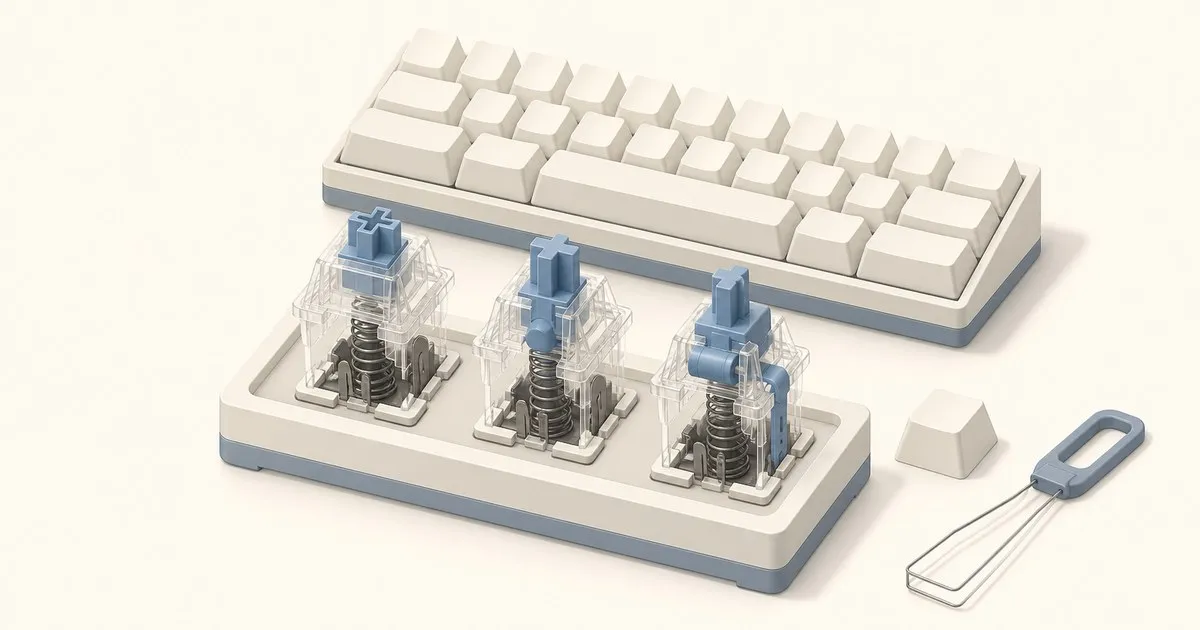
Linear. Smooth, consistent resistance from top to bottom with no tactile event before you bottom out. That evenness makes linears fast for gaming and low-fatigue for marathon typing sessions once you’ve internalized where the actuation point is. Cherry MX Red is the canonical reference: 45 cN actuation force, 2mm pre-travel, 4mm total travel. Gateron Yellow and HMX Hyacinth are popular alternatives with tighter tolerances and smoother stem-to-housing contact than the Cherry.
Tactile. A physical bump at the actuation point tells your fingers the key has registered — no bottoming out required. Cherry MX Brown (55 cN, 2mm pre-travel) is the most commonly shipped tactile and is nearly universally criticized as delivering an underwhelming, “sandy” bump that doesn’t give meaningful feedback. If tactile feedback is the point, step up: Boba U4T (62g), Kinetic Labs Hippo, and Holy Pandas all have sharp enough bumps to matter. Brown is a compromise; these are not.
Clicky. Combines the tactile bump with an audible click from a secondary mechanism inside the switch. Cherry MX Blue (60 cN, 2.2mm pre-travel) is the reference; Kailh BOX White is often preferred for a crisper, more distinct click and improved dust resistance from its box-style stem. Clicky switches are genuinely satisfying to type on at home, alone. They are deeply antisocial in any shared office, on any voice call, and on any stream where your mic isn’t professionally isolated. Plan accordingly.
Actuation Force, Travel Distance, and Sound
Once you’ve settled on type, three specs refine the choice.
Actuation force is measured in grams (g) or centinewtons (cN), which are numerically identical. KeebsForAll’s switch guide breaks this into three practical bands:
- Under 50g: Fast and reactive. Prone to accidental presses for new typists or anyone who rests fingers on keys.
- 45–60g: The comfortable middle for most people across both gaming and typing.
- Above 60g: Requires deliberate intent per keystroke. Reduces errors but introduces fatigue over long sessions.
Cherry MX Black sits at 60 cN; Cherry MX Green at 80 cN — the latter is only comfortable if you already know you prefer a heavy, deliberate press.
Travel distance. Most standard switches offer 4mm total travel with actuation around 2mm. Speed linears (Cherry MX Silver, Gateron KS-3X) shorten pre-travel to 1.2mm for faster actuation at the cost of a higher accidental-press rate. Unless you’re optimizing for competitive play at high polling rates, standard travel is the better starting point.
Sound. Silent switches — Gateron Silent Red, Boba U4, TTC Bluish White — use internal dampeners to cut bottom-out noise to roughly 28–32 dB. Standard linears and tactiles land in the 40–50 dB range. Clickies regularly exceed 65 dB, which is conversation volume. If you share an office, take calls all day, or type next to a sleeping household, silent switches are the practical choice independent of how they feel.
Decision Table by Use Case
| Use case | Switch type | Force range | Notes |
|---|---|---|---|
| Competitive gaming | Linear | 40–50 cN | Short pre-travel optional; smoothness matters more than anything |
| Daily typing / programming | Tactile | 50–65 cN | Skip Brown; get an actual bump |
| Home office, mixed use | Linear or tactile | 45–60 cN | Silent variants if anyone else is in the room |
| Shared office | Silent linear or silent tactile | 45–60 cN | Non-negotiable if you want to keep colleagues |
| Enthusiast / enjoyment typing | Clicky | 50–60 cN | Home use only |
Compatibility and What Actually Changes How a Switch Feels
Check your PCB before ordering. Most boards take standard MX-compatible switches in 5-pin (PCB-mount) or 3-pin (plate-mount) footprints. A 5-pin switch in a 3-pin socket won’t seat — you’ll need to clip the two extra plastic pins. Confirm your socket type before buying 90 switches. If the board is magnetic rather than MX, nothing in this guide’s catalogue fits it at all; Hall effect switches vs mechanical explains why those sockets are a closed ecosystem.
Factory lube claims are optimistic. Switches marketed as “pre-lubed” typically ship with a thin, inconsistent application that dampens stem scrape but falls well short of a hand-lubed batch. Creamy Keyboard’s guide on actuation force and travel notes that housing material and lubrication state can affect perceived feel as much as the spec sheet numbers. If sound and feel matter to you, plan to spend an hour with Krytox 205g0 on linears or Tribosys 3203 on tactiles. It’s not glamorous, but it’s the highest-impact single modification available short of swapping stems.
Mounting style changes how a switch feels. A Cherry MX Red in a gasket-mounted board feels noticeably softer and more compliant than the same switch in a tray-mount budget board. Switch feel is not a fixed property — it’s a property of the switch in a specific build. If you’re evaluating switches at a meetup, note the board’s mounting style before forming a strong opinion.
Hotswap boards let you course-correct. The main advantage of a hotswap socket is not convenience — it’s the ability to try a switch, type on it for a month, form a real opinion, and then swap without consequence. If your board is hotswap, there’s no need to agonize over the perfect switch on the first purchase. Buy something within your budget and type range, commit to it for a few weeks, then adjust.
Where to Start
For a first switch decision: tactile, 50–62g, sharp bump. Boba U4T (62g) is the standard recommendation in that range — it’s available from domestic vendors and gives you honest tactile feedback without clicky noise. If silent operation is required, the Boba U4 trades roughly 10% of tactile sharpness for near-silent keystroke registration.
For an upgrade from a gaming linear: try one tactile on a single key before committing. A switch tester with six to eight representative switches costs $15–25 and avoids 90-switch regret.
For a first linear purchase: HMX Hyacinth and Gateron Milky Yellow are well-regarded starting points. The Hyacinth has tighter tolerances that cut stem wobble noticeably compared to budget Cherry alternatives.
Switch choice is not a permanent decision on a hotswap board. Pick something reasonable, type on it, and let actual typing time drive the next choice. Our guide to finding your switch preference covers how to do that deliberately.
FAQ
What actuation force is best for a mechanical keyboard switch?
Actuation force on mechanical keyboard switches is measured in grams or centinewtons, which are numerically identical. Under 50g is fast and reactive but prone to accidental presses for new typists or anyone who rests fingers on keys. The 45 to 60g band is the comfortable middle for most people across gaming and typing. Above 60g demands deliberate intent per keystroke, cutting errors but adding fatigue over long sessions.
Are Cherry MX Brown switches a good tactile choice?
Cherry MX Brown is the most commonly shipped tactile switch, rated at 55 cN actuation with 2mm pre-travel, and it is nearly universally criticized for a weak, sandy bump that gives little meaningful feedback. Anyone who actually wants tactile feedback should step up to a sharper option such as Boba U4T at 62g, Kinetic Labs Hippo, or Holy Pandas. Cherry MX Brown is a compromise; those are not.
How loud are clicky switches compared with silent switches?
Silent mechanical keyboard switches such as Gateron Silent Red, Boba U4 and TTC Bluish White use internal dampeners that cut bottom-out noise to roughly 28 to 32 dB. Standard linears and tactiles land in the 40 to 50 dB range. Clicky switches regularly exceed 65 dB, which is conversation volume, making them unsuitable for shared offices, voice calls and streams without professionally isolated microphones.
Do 5-pin switches fit every mechanical keyboard?
Most mechanical keyboards accept standard MX-compatible switches, but the footprint matters: 5-pin switches are PCB-mount and 3-pin switches are plate-mount. A 5-pin switch will not seat in a 3-pin socket unless the two extra plastic pins are clipped off first. Confirm the socket type on the PCB before ordering a full set of around 90 switches for a build. That decision is really the hot-swap versus soldered question.
Which switch should a first-time buyer start with?
For a first mechanical switch decision, a tactile in the 50 to 62g range with a sharp bump is the standard starting point, and Boba U4T at 62g is the common recommendation because it delivers honest tactile feedback without clicky noise. Where silent operation is required, the Boba U4 trades roughly 10 percent of that tactile sharpness for near-silent keystroke registration. On a hotswap board the choice is not permanent.
Where to go next
If the board is primarily for games, linear vs tactile for gaming works the same decision through actuation curves and reset points. And if the switches you buy arrive dry, the lube selection guide explains why a tactile and a linear want different grades — using the wrong one is how people flatten a bump they paid extra for.
Related across the network
- Cherry vs Gateron vs Kailh: Switch Brands Explained — kbdcompare.com
Sources
Related

Best Mechanical Keyboard for Beginners 2026: Honest Picks
The best mechanical keyboard for beginners does not need to cost $150. A no-fluff decision tree covering hotswap, switches, and size by budget tier.

Best Lube for Keyboard Switches: Krytox vs TriboSys
The best lube for keyboard switches depends on grade, not brand: Krytox 205g0 for linears, TriboSys 3203 for tactiles, and 105g0 oil for springs.

How to Find Your Switch Preference With a Switch Tester
A practical method for finding the mechanical switch you actually like: how to use a switch tester properly, and why first impressions mislead.