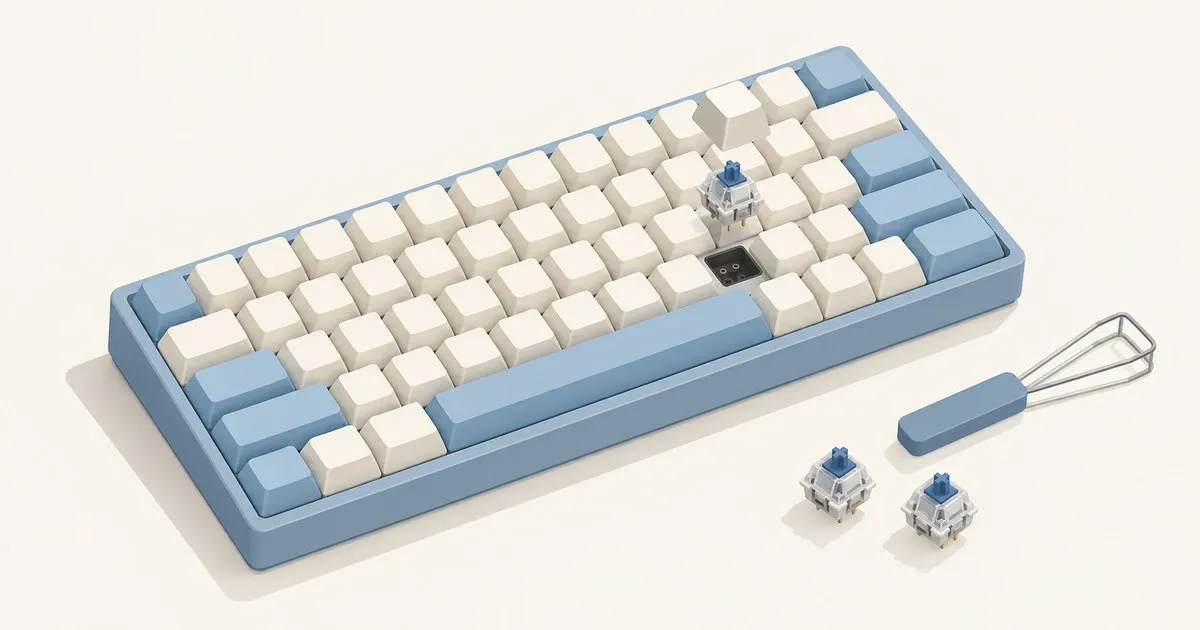
Our pick for the best budget hot-swappable keyboard under $50 is the Redragon K617 Fizz, provided you want a compact wired board. Its current $44.99 listing explicitly promises support for both 3-pin and 5-pin switches, a useful starting point for switch experimentation. Redragon’s product page is the listing this recommendation applies to.
Best picks under $50: choose size, switches, then budget
Follow the branch that matches your desk:
- Smallest footprint → linear switches → lower listed price: choose the K617 Fizz linked above.
- Dedicated arrows and function row → stock linears → $49.99: choose the AULA F75 Wired, subject to its switch-fit limitation below.
- Compact layout → linear, tactile, or clicky choice → $49.99 with wireless: choose the RK61 single-color backlit version.
- TKL layout → configurable keymaps → flexible budget: consider the Keychron C3 Pro 8K as an above-budget alternative.
These are documentation-based recommendations, not a hands-on sound ranking. Listed US-dollar prices were checked on September 6, 2026, before tax and shipping, without applying promotional codes. Check the delivered total and selected variant before buying; a headline price just below the cap leaves little room for extras.
| Keyboard and linked listing | Price | Layout | Case material | Hot-swap compatibility advertised | Wireless | Firmware / configuration |
|---|---|---|---|---|---|---|
| Redragon K617 Fizz, mechanical | $44.99 | 60% | Not specified on listing | 3-pin / 5-pin mechanical | None | Redragon software |
| AULA F75 Wired | $49.99 | 75% | ABS plastic | 3-pin mechanical | None | Vendor software |
| RK61, single-color backlit | $49.99 | 60% | Not specified on listing | 3-pin / 5-pin mechanical | Bluetooth and 2.4 GHz dongle | RK software |
Unspecified case material is a documentation gap. An ABS keycap specification does not establish the case material. None of these linked listings advertises QMK/VIA support for the listed version.
Which keyboard is worth your money?
K617 Fizz: the compact wired choice. Buy it for conventional switch swapping and a small footprint. Redragon describes the socket as upgraded and lists linear Red switches and RGB. Match that compatibility wording when shopping another retailer. The compact layout deserves more thought than the lighting: decide whether you can live without separate arrow keys before ordering. K617 specifications.
AULA F75 Wired: the practical layout choice. Its function row, arrows, and knob make it the better fit for someone who edits text or uses function shortcuts frequently. EPOMAKER lists a gasket mount, Cherry-profile ABS keycaps, USB-C, and 1000 Hz polling. The catch is the documented 3-pin PCB support; do not transfer assumptions from other F75 versions. Choose it for its layout and stock linear configuration, with replacement-switch compatibility checked individually. F75 Wired specifications.
RK61: the wireless choice. The linked model combines Bluetooth, a dongle, USB-C wired operation, and advertised compatibility with Cherry and Gateron mechanical switches. Its Red, Brown, and Blue options cover linear, tactile, and clicky preferences. Brown is the route for a tactile bump; Blue adds a deliberate click. Choose the RK61 when wireless or a stock tactile option matters more than dedicated navigation keys. RK61 specifications and switch comparison.
Watch-outs before you buy
Hot-swap is not a universal socket standard. For normal-profile MX-style switches, 3-pin means two electrical contacts and a central plastic post; 5-pin adds plastic locating legs. Match the PCB holes, socket, and switch family before purchasing replacements. If you have not settled on a feel yet, work through how to choose a mechanical keyboard switch first. Pin count alone does not establish every aspect of compatibility, and extra legs do not make a switch smoother. Gateron’s mounting explanation covers the distinction.
Factory lube is a specification, not an inspection report. The F75 listing calls its linears factory-lubed. That does not establish even coverage across every stem. Gateron also explains that lubrication consistency matters and that ordinary linears retain bottom-out and return noise. For a shared office, investigate compatible silent switches instead of assuming a Red switch will be quiet. Gateron’s linear-switch guide.
Judge stabilizers separately from the alphas. During the return window, listen to the spacebar, Enter, and Shift as well as the home row. Check for wire tick, rattle, and a sluggish return. A pleasing low note from the letter keys cannot rescue an irritating spacebar. Stabilizer lubrication can help, but excessive lubricant can make wide keys gummy; start with the symptom before reaching for the brush. Our guide to keyboard stabilizers covers the rattle-and-tick diagnosis in more depth. Redragon’s tuning guide.
Do not buy a sound adjective. Case, plate, switches, keycaps, and typing force all contribute to the result. A gasket label cannot establish a particular amount of flex or a guaranteed thock. Treat product recordings as examples of the advertised setup, and prioritize a layout and switch feel you actually want. Gateron’s acoustic discussion explains the interacting parts.
Check software and replacement keycaps before spending. Confirm that the exact board’s utility supports the remapping you need on your operating system. QMK is a separate firmware ecosystem with its own supported hardware and configuration tools; a download button does not imply QMK compatibility. Start with the official QMK documentation if programmable layers are a buying requirement, and see remapping keys with QMK and VIA for what that workflow involves. Use the keyboard vendor’s download links.
For replacement caps, compare the kit’s pictured key sizes and row profiles against your selected layout. Keep the stock set until you know what bothers you. Switches, caps, and tuning supplies belong in the same spending decision as the keyboard.
Is spending above $50 worth it?
The Keychron C3 Pro 8K lists at $54.99, placing it outside this shortlist. Its TKL layout, QMK support, hot-swap sockets, and Keychron Launcher remapping make it worth considering for programming or shortcut-heavy work. Check availability: the selected variant showed a backorder notice when researched. Keychron’s listing.
Pay more when it solves a specific limitation you already recognize, such as missing navigation keys or restrictive remapping. If the compact wired layout suits you, start with the Fizz and its included switches. Let actual typing preferences determine the next purchase.


